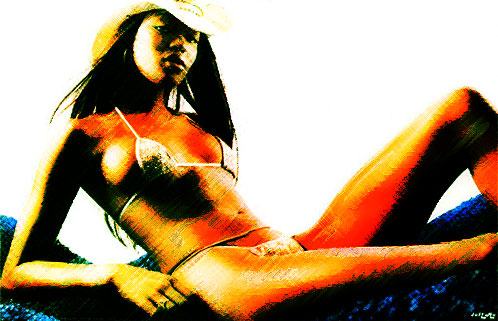
Photoshop photo to pastel sketch action

Converting a photo into a pencil or pastel sketch is one of the most challenging task to automate with Photoshop.
Here it is an attempt.
Run the action on a photo and let me know what do you think about it.

Please give me feedback and send to my email any good result you achieve to let me insert them into examples page.

Before

Before pastel sketch action

After

After pastel sketch action

Download the action and enjoy.

Improve the blog rating this post
Tell me what do you think about this post. I'll write better and better entries.
1 Star2 Stars3 Stars4 Stars5 Stars (No Ratings Yet)
Loading ... Loading ...

» Take a look at Photoshop Templates offered by Template Monster. They can be definitely useful if you want to start your own website.
These templates can be easily edited so you are able to customize them to serve you particular needs.

3 Responses to “Photoshop photo to pastel sketch action”

  1. carmen on July 11th, 2006 5:12 pm

    Hello i have downloaded the script where do i put it for it to work

  2. Emanuele Feronato on July 11th, 2006 5:23 pm

    Hello carmen,
    unzip it and put it in your Presets/Photoshop Actions folder inside your Photoshop directory.

  3. carmen on July 11th, 2006 6:35 pm

    thank you so much I love the script im gonna try more and see what I come up with

Leave a Reply