

Create a flash movie like Linkin Park one
Talking about Flash and Photoshop.
When I was looking at Linkin Park homepage, I was impressed by the intro. It’s very simple but very nice.
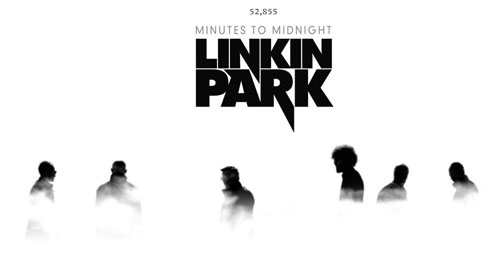
To do something similar, we need four elements:
1) A b/w photo with an high contrast
2) PhotoShop
3) Flash
4) An awesome music track
Finding the photo
It’s quite easy to find (or shot) a photo… just remember it should have an high contrast between the white background and the black foreground.
I browsed some photos at flickr and found this one.
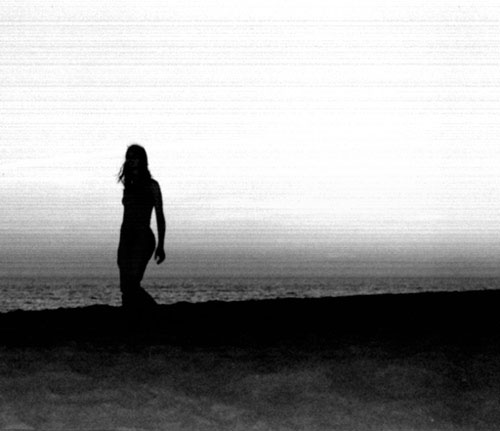
Very nice.
Now it’s time to open…
PhotoShop
What we need is a cloudy seamless semi-transparent background.
Let’s begin with the “cloudy seamless”.
To have a cloudy samless background, we need to create a document whose x and y sizes are divisible by 256.
Since we need to remove the seam only to the horizontal size, let’s create a 1024*800 document. Then press “D” to restore default foreground and background colors (or have them to black and white in any ohter way) and apply a Filter -> Clouds filter.
You should have something like this

Then, create a new layer and fill it with white. Add a layer mask to it and with the gradient tool make it transparent about in the vertical middle of the image. Then press Ctrl-E to merge layers.
Now you should have something like this:

Now, create a new layer and paint it black. Add a layer mask and do the same thing as before, but make it transparent in the last upper quarter ot the image. Then press Crtl-E to merge layers.
This is what I have now:

Now Ctrl-I to invert the image, Ctrl-A to select the entire image, Ctrl-C to copy it, then select the Channels palette and click on “Create new channel”.
A new channel named “Alpha 1” should be created. Select it and Ctrl-V to paste the image.
Return to the Layer palette, create a new layer and fill it with white. Then on Photoshop menu go to Select -> Load Selection and in the dialog box under “Channel:” choose “Alpha 1” then press “OK”.
Then press “Del” on your keyboard to delete the selection. Make this layer the only layer visibie in the document.
You should have something like that:
(note: the red/green squares means the document transparenct)

Save this image as PNG-24 with transparency and close Photoshop.
Flash
Create a new document with the same size of the “flickr” image and import the image on stage.
Then create a new movieclip and import the “fog” image you created. Duplicate the movieclip to have 2 “fogs” and from now on it’s just motion tweening with a initial tween to lower the fog and then a loop to cycle between the first moving for and the second one.
Basically, when a fog starts leaving the main scene, because it is moving to the left, the second one comes from the right. When the second is leaving to the left, the first comes back from the right… and so on, in this way
Now you only need an awesome music like the one Linkin Park can play… but I am not sure I will be able to write a tutorial about it… so download the source code (with the png file) and give me feedback.
Never miss an update! Subscribe, and I will bother you by email only when a new game or full source code comes out.