
Photoshop action to create an arcade stone background

Today I was playing a bit with Photoshop to create a stone background for a one-week game I am developing for the experiment.

I wanted something random, with a style that reminds old style arcades.

I found this tutorial and I modified it to fit to my needs.

Then I developed an action to optimize and speed up the entire process.

This is the result of the action, obviously always random.
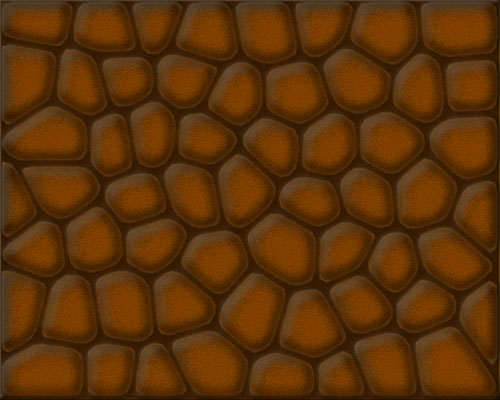
Stone action for Photoshop

It’s not a state-of-the-art action but is what I need, and you can custom some level styles to use it in a profitable way.

Download the action and give it a try

Improve the blog rating this post
Tell me what do you think about this post. I'll write better and better entries.
1 Star2 Stars3 Stars4 Stars5 Stars (No Ratings Yet)
Loading ... Loading ...

» Take a look at Photoshop Templates offered by Template Monster. They can be definitely useful if you want to start your own website.
These templates can be easily edited so you are able to customize them to serve you particular needs.

7 Responses to “Photoshop action to create an arcade stone background”

  1. Teal on November 8th, 2007 2:22 am

    That’s a pretty nice effect, I might want to use it in one of my games.

  2. Thomas on November 8th, 2007 7:20 am

    wicked!

    woohooo!!! ps! psds! actions! complicated uis!

    it’s photoshop!!

    great work btw!

  3. shiv1411 on November 8th, 2007 1:34 pm

    hi emanuele!
    Did u really quit sleeping for these cooooool tuts?

  4. SlimJim on November 13th, 2007 8:56 pm

    It doesn’t work for me, if i use the settings for the stained glass effect it just turns all black.

  5. SlimJim on November 14th, 2007 10:29 pm

    nevermind it works

  6. Xodus on May 10th, 2008 7:29 pm

    I really think that i saw this pic for the background for a game called slingfire, its on miniclip.Looks like the author is a fan of Emanuele.

  7. Picture on July 12th, 2008 2:19 pm

    This background is fantastic.I love you photoshop.

Leave a Reply