

Managing savegames with Flash shared objects
Talking about Actionscript 2, Flash and Game development.
How many times did you find an option to save the game in Flash? How many times did you see a game that keeps track of your previously solved levels, like Nitrome’s Snow Drift?
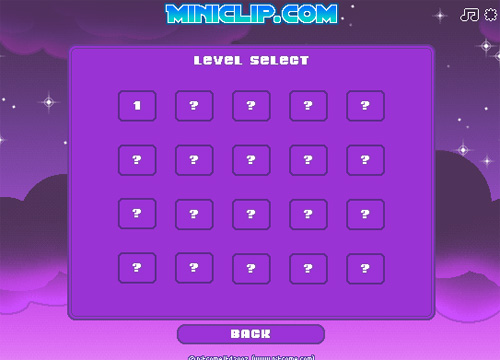
Today you’ll learn how to do it… and it’s very simple!
We can do it with just a couple of instructions thanks to the SharedObject class. This class is used to read and store limited amounts of data on a user’s computer. The class does not create cookies, but something very similar, and the concept is the same.
It’s very important to understand that local shared objects maintain local persistence. This means that you can play a game, beat some levels, save the game, turn off your computer, and next time you’ll play that game on the same computer, you’ll start from the first unbeaten level.
But… less words and more action(script)
lets_call_it_cookie = SharedObject.getLocal("feronato");
if (lets_call_it_cookie.data.counter == undefined) {
	lets_call_it_cookie.data.counter = 1;
} else {
	lets_call_it_cookie.data.counter++;
}
counter_text.text = "You visited this page "+lets_call_it_cookie.data.counter+" times!";
Line 1: A variable called lets_call_it_cookie gets the reference to a locally shared object called feronato. If the shared objects does not exists, a new one is created.
Line 2: Looking for a variable called counter inside the shared object
Line 3: If the variable does not exists (it’s the first time we are running the movie), then set the counter variable inside the shared object to 1
Line 5: If the variable exists (it’s not the first time we are running the movie), then increase the counter variable
Line 6: Display some text on a dynamic text I created
And this is the result:
Try to reload the page and see what happens… then close the page and open it again, or shut down your computer and come back to this page…
Now, I have to warn you about some important local disk space considerations I found on Adobe website: Local shared objects can be very useful, but they have some limitations that are important to consider as you design your application. Sometimes your SWF files may not be allowed to write local shared objects, and sometimes the data stored in local shared objects can be deleted without your knowledge. Flash Player users can manage the disk space that is available to individual domains or to all domains. When users lower the amount of disk space available, some local shared objects may be deleted. Flash Player users also have privacy controls that can prevent third-party domains (domains other than the domain in the current browser address bar) from reading or writing local shared objects.
Let’s see another actionscript
lets_call_it_cookie = SharedObject.getLocal("feronato");
levels = new Array();
for (x=1; x<=5; x++) {
	levels[x] = 0;
	lev = _root.attachMovie("level", "level_"+x, _root.getNextHighestDepth(), {_x:80*x, _y:40, _alpha:30});
	lev.levelnumber = x;
	if (lets_call_it_cookie.data.completed_levels[x] == 1) {
		lev._alpha = 100;
	}
	lev.onRelease = function() {
		levels[this.levelnumber] = 1;
		lets_call_it_cookie.data.completed_levels = levels;
		lets_call_it_cookie.flush();
		this._alpha = 100;
	};
}
Line 1: Same as before
Line 2: Creating an array that will contain levels
Line 3: Beginning of a loop scanning through the 5 levels in the game
Line 4: Setting the x-th levels to zero (unbeaten)
Line 5: Attaching the movieclip that should represent the level icon
Line 6: Assigning a number to the previously created icon
Line 7: Looking for a variable called completed_levels[x] inside the shared object. I am checking if the variable is set to one (beaten)
Line 8: In this case, set the alpha of the level to 100 (it was previously set to 30 at line 5)
Line 10: Beginning of the actions to be performed every time you click on a level icon (you beat a level simply clicking on its icon)
Line 11: Updating levels array
Line 12: Copying the levels array into the completed_levels variable inside the shared object
Line 13: Immediately writes a locally persistent shared object to a local file with the flush method
Line 14: Set the alpha of the level icon to 100 (beaten)
Now beat a couple of levels and reload the page or do one of the operations I've told you before
This is what you have to do to manage your savegames
To clear your shared object just use the purge method.
lets_call_it_cookie.purge() purges all the data from the shared object and deletes the shared object from the disk.
Download the source and enjoy.
Never miss an update! Subscribe, and I will bother you by email only when a new game or full source code comes out.