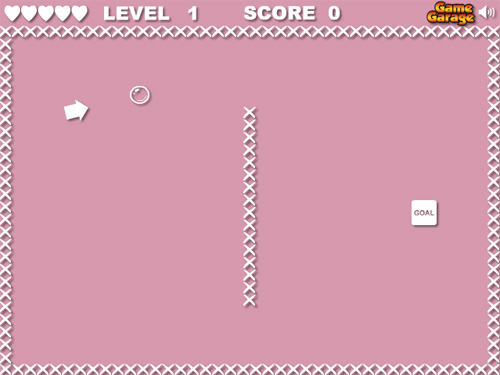
Prototype of a Flash game like Floaty Light

Do we really need another "move a ball in some way from A to B avoiding C" game?

Floaty Light

Noooooooo... but it seems two or three people still like this kind of games, so the new torture branded Game Garage is Floaty Light.

Just kidding, of course.

I made this prototype using the gravity and speed as described in the Flash game creation tutorial - part 1 post, the collision detection as shown in the Create a flash draw game like Line Rider or others - part 2 post and the control system already seen at A new player control concept, with only a minor change.

As said, nothing new, but it's an interesting concept anyway

ACTIONSCRIPT:
  1. _root.attachMovie("ball", "ball", _root.getNextHighestDepth(), {_x:50, _y:50});
  2. _root.attachMovie("wall", "wall", _root.getNextHighestDepth(), {_x:240, _y:200});
  3. _root.attachMovie("arrow", "arrow", _root.getNextHighestDepth());
  4. moving = false;
  5. gravity = 0.01;
  6. xspeed = 0;
  7. yspeed = 0;
  8. precision = 24;
  9. radius = 15;
  10. Mouse.hide();
  11. arrow.onEnterFrame = function() {
  12.     this._x = _xmouse;
  13.     this._y = _ymouse;
  14.     dist_x = ball._x-this._x;
  15.     dist_y = ball._y-this._y;
  16.     total_dist = Math.sqrt(dist_x*dist_x+dist_y*dist_y);
  17.     if (total_dist>300) {
  18.         total_dist = 300;
  19.     }
  20.     total_dist = (300-total_dist)/500;
  21.     angle = Math.atan2(dist_y, dist_x);
  22.     this._rotation = angle*57.2957795;
  23. };
  24. ball.onEnterFrame = function() {
  25.     if (moving) {
  26.         dir = arrow._rotation;
  27.         xspeed += total_dist*Math.cos(dir*0.0174532925);
  28.         yspeed += total_dist*Math.sin(dir*0.0174532925);
  29.     }
  30.     yspeed += gravity;
  31.     this._x += xspeed;
  32.     this._y += yspeed;
  33.     xspeed *= 0.99;
  34.     yspeed *= 0.99;
  35.     for (x=1; x<precision; x++) {
  36.         spot_x = this._x+radius*Math.sin(x*360/precision*0.0174532925);
  37.         spot_y = this._y-radius*Math.cos(x*360/precision*0.0174532925);
  38.         if (wall.hitTest(spot_x, spot_y, true)) {
  39.             xspeed = 0;
  40.             yspeed = 0;
  41.             this._x = 50;
  42.             this._y = 50;
  43.         }
  44.     }
  45. };
  46. _root.onMouseDown = function() {
  47.     moving = true;
  48. };
  49. _root.onMouseUp = function() {
  50.     moving = false;
  51. };

Let's play it!

Download the source code and give me feedback

Rate this post: 1 Star2 Stars3 Stars4 Stars5 Stars (4 votes, average: 4.75 out of 5)
Loading ... Loading ...
If you found this post useful, please consider a small donation.
» Flash Templates provided by Template Monster are pre-made web design products developed using Flash technology.
They can be easily customized to meet the unique requirements of your project.

10 Responses to “Prototype of a Flash game like Floaty Light”

  1. Jack Hopkisn on May 7th, 2008 7:54 pm

    awesome work!
    btw, why did you use 0.0174532925 where you could have used radians?

  2. JDog on May 7th, 2008 9:47 pm

    Thats really good ! I think of it more as a clone of Nitrome’s Hot Air !

  3. Maniac on May 9th, 2008 9:17 pm

    It’s nice, but…How do you give the game “lives”, time-based scoring, and a game-over screen when you run out of lives? O_o?

  4. Quintus on May 10th, 2008 10:58 pm

    Your Cewl! :D

  5. Amy on May 14th, 2008 12:57 am

    It’s good but how do you make it go to different levels and add lives etc?

  6. Nate on May 17th, 2008 7:36 pm

    @Amy

    He does this on purpose, you are supposed to do that stuff yourself, he doesn’t want to just give you a game, your supposed to work on it!

  7. gartman222 on May 17th, 2008 8:24 pm

    i have an idea for a game. (mumbles)

  8. Amy on May 24th, 2008 10:49 pm

    Im a newbie at coding, i can normally figure it out myself but this type of game confuses me alot.

  9. JulianDoom on June 9th, 2008 5:20 am
  10. Eduardo Brito on May 3rd, 2009 4:45 pm

    hello I am Brazilian, he was seeing his site and I liked a lot, I adored the tutorial!

Leave a Reply


Posts