

Creation of a game with flixel and Flash Builder 4
Talking about Actionscript 3, Flash, Flex and Game development.
You should already know flixel.
I blogged a bit about it some time ago in flixel for absolute beginners and flixel for absolute beginners – part 2.
Now it’s time to make something serious, but in this first step I am covering again the basics of creation of a flixel game using Flash Builder 4.
Do you think I mispelled “Flex” with “Flash”? You’re wrong. Flex 3’s new version is called Flash Builder 4 and you can see the new features as well as download a 60 days trial at the Flash Builder 4official page.
So let’ start! Basically this tutorial is a porting of this one, just using Flash Builder 4. But a lot of new features will be added in various steps.
So let’s start creating a new actionscript project…
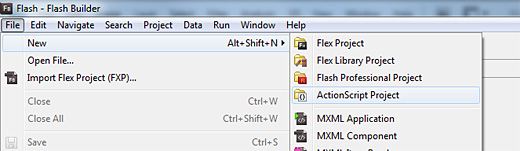
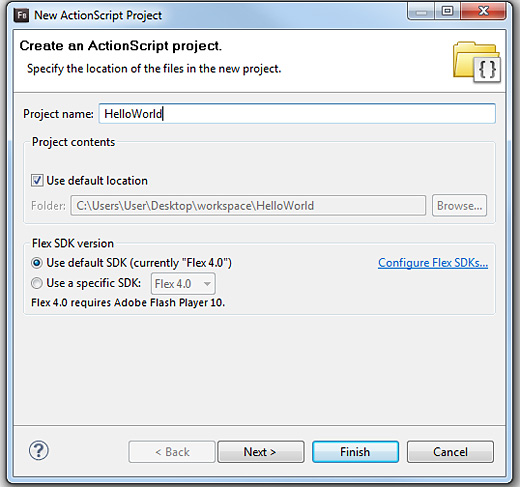
… name it HelloWorld…
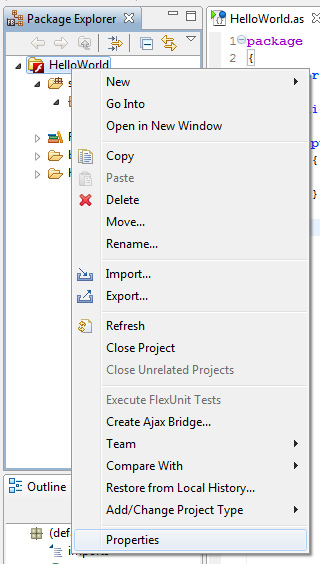
… then select its properties…
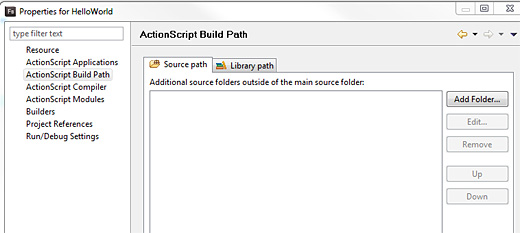
… and under Actionscript Build Path select Source path then click Add Folder…
… browse and select the directory with the flixel package you downloaded…
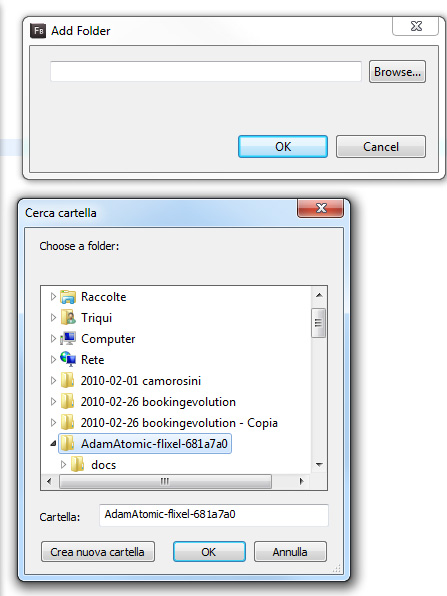
… you should see it in the window now…
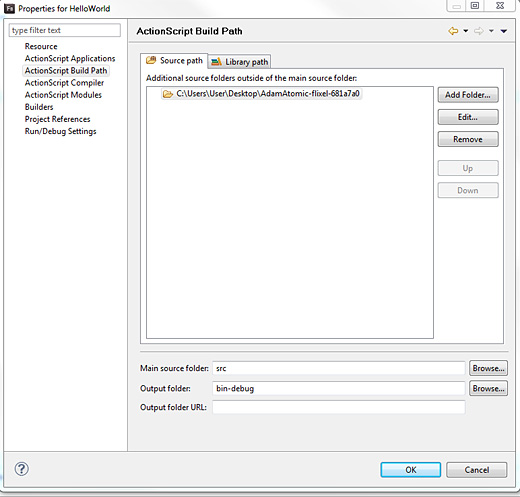
… then create a new Actionscript class…
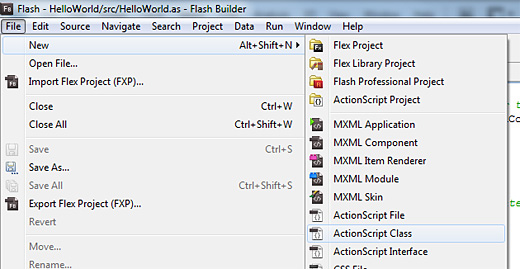
… call it PlayState and make it son of FlxState class…
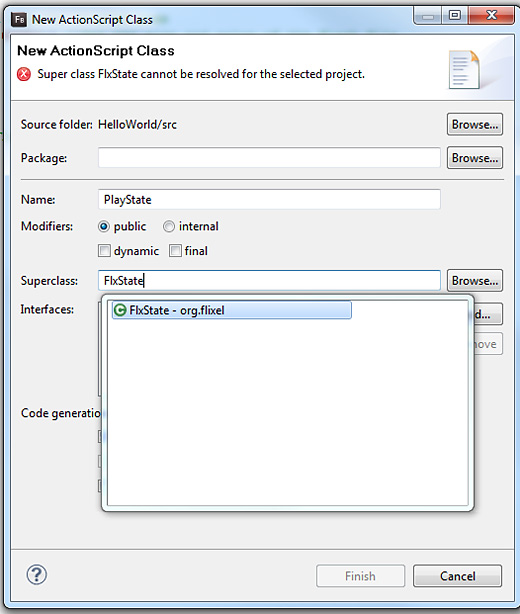
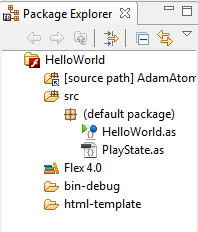
Now you’re done, and you should have to .as files: HelloWorld.as and PlayState.as
Your package explorer should look something like this:
This is what you’ll write in HelloWorld.as
package {
	import org.flixel.*; //Allows you to refer to flixel objects in your code
	[SWF(width="520", height="240", backgroundColor="#000000")] //Set the size and color of the Flash file

	public class HelloWorld extends FlxGame
	{
		public function HelloWorld()
		{
			super(260,120,PlayState,2); //Create a new FlxGame object at 320x240 with 2x pixels, then load PlayState
		}
	}
}
And this is the content of PlayState.as
package
{
	import org.flixel.*;
	public class PlayState extends FlxState
	{
		override public function create():void
		{
			add(new FlxText(0,0,100,"Hello, World!")); //adds a 100px wide text field at position 0,0 (upper left)
		}
	}
}
No need to comment anything because I’ll do it in next tutorial, when I’ll create something more exciting and explain it step by step.
This is the (amazing) result…
… stay tuned
Never miss an update! Subscribe, and I will bother you by email only when a new game or full source code comes out.