Changing a Movieclip registration point on the fly with AS3
Do you know what is a Movieclip registration point? If you ever played with Flash drawing tools, you should.
The registration point is like the origin in a Cartesian coordinate system, the default point of a Movieclip from which its x and y coordinates are calculated.
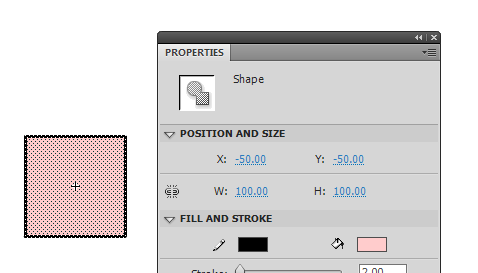
In the example we are about to see, I created this square with a 100 pixel side and placed at (-50,-50), so its center of rotation is at (0,0), as you can see from the tiny white crosshair in the centre of the square.
Now the question is: can I change dynamically the registration point with AS3?
The answer is: NO. No code to download, and see you later.
Anyway, there is a little trick.
Look at this script:
package {
	import flash.display.Sprite;
	public class registration extends Sprite {
		private var square:square_mc;
		private var static_square:static_square_mc
		public function registration() {
			square = new square_mc(100,100);
			square.x = 100
			square.y = 100
			addChild(square);
			static_square = new static_square_mc()
			addChild(static_square);
			static_square.x = 100
			static_square.y = 100
			static_square.alpha=0.3
			//
			square = new square_mc(50,50);
			square.x = 250
			square.y = 100
			addChild(square);
			static_square = new static_square_mc()
			addChild(static_square);
			static_square.x = 250
			static_square.y = 100
			static_square.alpha=0.3
			//
			square = new square_mc(0,0);
			square.x = 400
			square.y = 100
			addChild(square);
			static_square = new static_square_mc()
			addChild(static_square);
			static_square.x = 400
			static_square.y = 100
			static_square.alpha=0.3
		}
	}
}
In a very lazy way (because it’s not the focus of this post) it creates three squares and three static squares.
Let’s concentrate on square_mc class constructor:
square = new square_mc(x,y);
Where x and y represent the coordinates of the new registration point. So (0,0) will mean the upper left corner, (50,50) the center and (100,100) the lower right corner.
Let’s see square_mc.as
package {
import flash.display.Sprite;
import flash.events.Event;
import flash.geom.Rectangle;
public class square_mc extends Sprite {
private var new_reg_x,new_reg_y:int;
private var pin:pin_mc=new pin_mc();
public function square_mc(reg_x,reg_y) {
new_reg_x=reg_x;
new_reg_y=reg_y;
addEventListener(Event.ENTER_FRAME,on_enter_frame);
addEventListener(Event.ADDED_TO_STAGE,on_added);
}
public function on_added(e:Event) {
var rect:Rectangle=getBounds(this);
var x_offset=new_reg_x+rect.x;
var y_offset=new_reg_y+rect.y
// updating container position
x+=x_offset;
y+=y_offset;
// just adding a pin to highlight registration point
var par:registration=this.parent as registration
par.addChild(pin);
pin.x=x;
pin.y=y
for (var i:uint=0; i
First, I get the bounds rectangle of the object (not necessary since I know it's a square, but I could be anything else), then I determine the offset adding to new registration coordinates the origin of the bounds rectangle. This will work because I drew the square centered on movieclip origin.
Once I found the offset, it's just a matter of adding the offset to square position and subtracting from all its children's (the square shape) position.
And that's it:
Obviously you can set the new registration point anywhere you want, and it will work anyway.
Just a quick question: what game prototype I am going to show you using this feature?
